Chrome 146’s early preview shipped a flag called WebMCP (Web Model Context Protocol). What it does is let AI agents bypass the entire graphical interface of a website — ignoring your carefully designed buttons, dropdowns, and micro-interactions — and call your site’s backend functions directly.
As developer Alex Volkov put it: “WebMCP is the API for the UI.”
What does that mean in practice?
No more screenshots. No more guessing where the button is. No more shaky mouse simulations. The agent just asks the website: “What can you do? Give me the manual.” Then it calls a function and gets the job done.
This isn’t incremental improvement. This is laying a new foundation under the web.

First, Look at the Absurdity of How Agents Use Websites Today
If you’ve ever watched an AI agent “use” a website, the workflow goes something like this:
1. Take a screenshot of the page
2. Feed the image to a multimodal model (Gemini, Claude) and ask “is the blue rectangle the submit button?”
3. The model guesses and tells it an approximate position
4. The agent moves the mouse and clicks
5. The page changes, so take another screenshot and repeat
One simple search can burn thousands of tokens parsing screenshots and DOM. And if the website changes its CSS — button’s not blue anymore — the agent is lost.
VentureBeat’s coverage described it well: “When an AI agent visits a website, it’s essentially a tourist who doesn’t speak the local language.” It guesses at buttons, forms, and links. Sometimes it gets lucky. Most of the time it’s just burning money.
Bots now account for 51% of all web traffic. But most of them are scraping by on screenshots and DOM parsing, surviving rather than thriving. WebMCP exists to change that.
What WebMCP Is: Giving the Website a Way to Hand the Agent an Instruction Manual
WebMCP is a proposed web standard, jointly developed by engineers at Google and Microsoft and incubated through the W3C Web Machine Learning community group. It defines a new browser API: `navigator.modelContext`.
Through this API, websites can expose structured tools directly to AI agents running inside the browser. In plain English:
> Stop guessing. I’ll tell you exactly what I can do, what parameters I need, and what format the results come in.
WebMCP offers two implementation paths:
Declarative API: Add HTML attributes to existing forms. No JavaScript required.
<form toolname="search_flights" tooldescription="Search for available flights" toolautosubmit="true"><br>
  <input name="origin" placeholder="Departure city"><br>
  <input name="destination" placeholder="Destination"><br>
  <input name="date" type="date"><br>
  <button type="submit">Search</button><br>
</form>
With `toolname` and `tooldescription` set, Chrome automatically reads these tags and generates a schema for the AI. The agent sees: there’s a tool called `search_flights` that takes three parameters — I can call this directly.
Imperative API: Register more complex tools via JavaScript.
 navigator.modelContext.registerTool({
 name: "book_flight",
 description: "Book a flight with passenger info and payment",
 inputSchema: {
 type: "object",
 properties: {
 origin: { type: "string", description: "Departure city code" },
 destination: { type: "string" },
 date: { type: "string", format: "date" },
 passengers: { type: "number" },
 },
 },
 execute: async (params) => {
 // Reuse your existing front-end logic
 return await flightAPI.book(params);
 },
 });
Both approaches share the same core logic: instead of making the agent guess how the website works, the website tells the agent how it works.
Why This Is a Step-Change
WebMCP brings several massive shifts.
Cost drops off a cliff. Technical analysis shows that a single structured tool call consumes roughly 20-100 tokens. The old screenshot-based approach? 2,000+ tokens per interaction. That’s roughly an 89% improvement in token efficiency, with task accuracy pushed to about 98%.
The development overhead isn’t as bad as you think. If your HTML forms are already well-structured, you’re 80% of the way there — just add three attributes. For complex scenarios, you write a JavaScript registration function that mostly reuses your existing front-end code. No need to spin up new backend services.
Humans stay in the driver’s seat. WebMCP explicitly excludes fully autonomous and headless scenarios. The design documents from Google and Microsoft emphasize three words: Context, Capabilities, Coordination. The agent assists the user, not replaces them. This is a deliberate philosophical choice, not a patch.
One function call replaces dozens of clicks. An e-commerce site that registers a `searchProducts(query, filters)` tool lets the agent make one structured call and get structured JSON back. Before WebMCP, the agent would need to: click the filter dropdown → paginate → screenshot → identify product cards → paginate again → repeat.
How WebMCP Relates to MCP
A lot of people mix these two up.
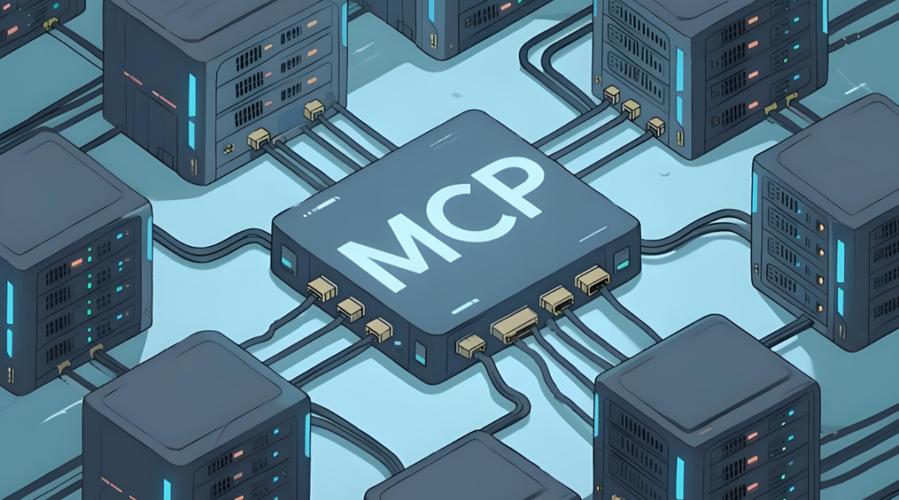
MCP (Model Context Protocol) was introduced by Anthropic in November 2024. It runs on the server side, connecting AI agents to external data sources, tools, and workflows via JSON-RPC, typically using Python or Node.js SDKs.
WebMCP is a browser-native protocol. The website itself becomes the MCP server, with tool definitions and execution happening inside the browser tab. No separate deployment needed.
Google’s own docs are clear: WebMCP is not a replacement for MCP, nor an extension of it. MCP handles the backend. WebMCP handles the frontend. The best approach is to use both together.
The future intelligent application architecture looks something like this:
1. MCP server: Core business logic, data retrieval, background tasks — platform-agnostic
2. WebMCP: Browser-context interactions — real-time operations when the user has the site open
3. They collaborate: MCP provides the service layer, WebMCP handles the last mile of browser interaction
What This Means for Developers: Your Website Is Already Becoming Two Layers
Developer Nikoloz Turazashvili surfaced an interesting concept in his analysis: if WebMCP becomes the standard, the internet will naturally split into two layers —
UI for humans: visuals, branding, animations, emotional design
Tool interface for agents: structured data, contract APIs, instant responses
You won’t win in the AI agent world because your page looks good. The winners will be sites with the clearest tool contracts.
What does this mean for front-end developers right now?
Short term: add a few HTML attributes to your forms. Medium term: start using `navigator.modelContext` to register tools. Long term: “designing interfaces for AI” will become a standard front-end skill, the way responsive design did ten years ago.
This is a new specialization direction — from “front-end engineer who builds UI” to “front-end engineer who builds AI interfaces.”
Google also reiterated something at I/O 2026: WebMCP isn’t just for agents. It also lets assistive technologies perform high-level page operations directly, instead of simulating one click at a time. This isn’t a niche scenario — WCAG compliance often requires significant extra work, and WebMCP offers a more direct path.
When Can You Use It
Right now, WebMCP is available in Chrome 146 Canary. Enable the flag in `chrome://flags` and you can start experimenting. Google I/O 2026 confirmed it’s coming to stable Chrome.
If you want to try it yourself, there’s a Model Context Tool Inspector extension in the Chrome Web Store for debugging.
A travel booking demo is already live at travel-demo.bandarra.me — one look and you’ll see the full flow of “declare a tool → agent calls it directly.”
Final Thoughts
The last standard that changed the web’s underlying interaction layer was probably HTTP/2 and WebSocket around 2010. It’s too early to say if WebMCP is at that level, but the logic is similar: it transforms the browser from a “document viewer” into a “protocol gateway.”
AI agents won’t have to crawl through pixels and DOM nodes anymore. Websites can explicitly declare “here’s what I can do, here’s what I need, here’s how data comes back.”
For developers, getting familiar with WebMCP now is probably not a bad bet. Not because it’ll revolutionize everything overnight, but because —
When the internet really does split into “for humans” and “for AI” layers, understanding the model one day earlier means choosing your position one day earlier. By the time every competitor has `toolname` on their HTML and you haven’t started, it might be too late to catch up.
📖 Recommended Reading
Take a look at these AI-related articles; you might find them interesting
Run Open-Source LLMs Locally: From Ollama to DeepSeek and Build Your Private AI
DeepSeek V4 Deep Dive: A Milestone for China’s AI Models
AI Security Protection Practical Guide: From Theory to Implementation
