Stop Publishing by Hand: Write, Polish, and Publish to WordPress with AI — In One Workflow
—
If you run a WordPress site, your content routine probably looks like this:
Open a doc → write → format → log into wp-admin → create new post → copy-paste → fix the formatting → preview → publish. Just *moving* an article onto your site eats 10+ minutes. Publish bilingually and you can double that.
And then there’s the AI-era tax: signing up for an LLM platform, requesting an API key, engineering prompts, tuning parameters — the stuff that only feels intuitive if you’re already a developer. That barrier is what keeps most bloggers from actually using AI.
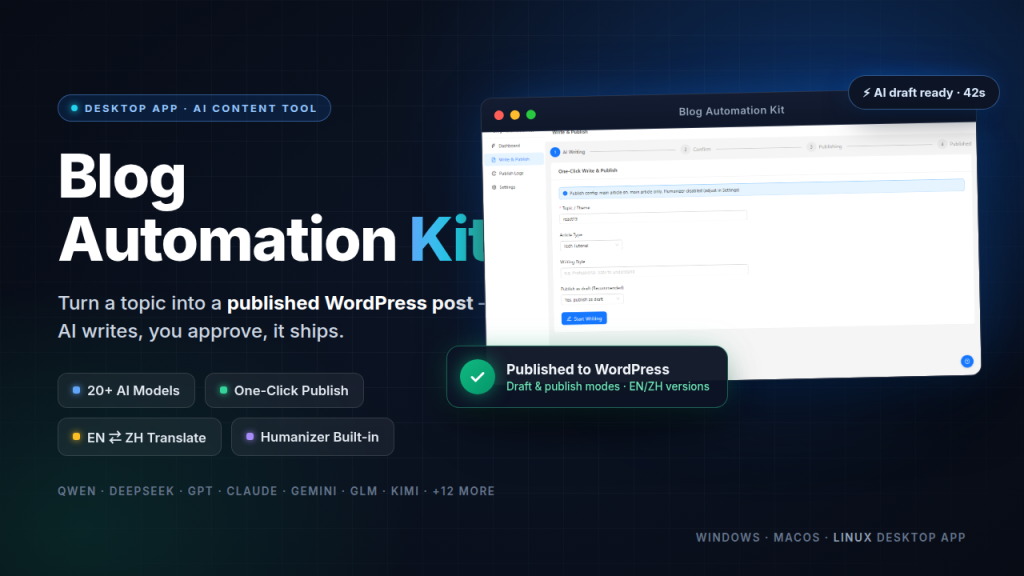
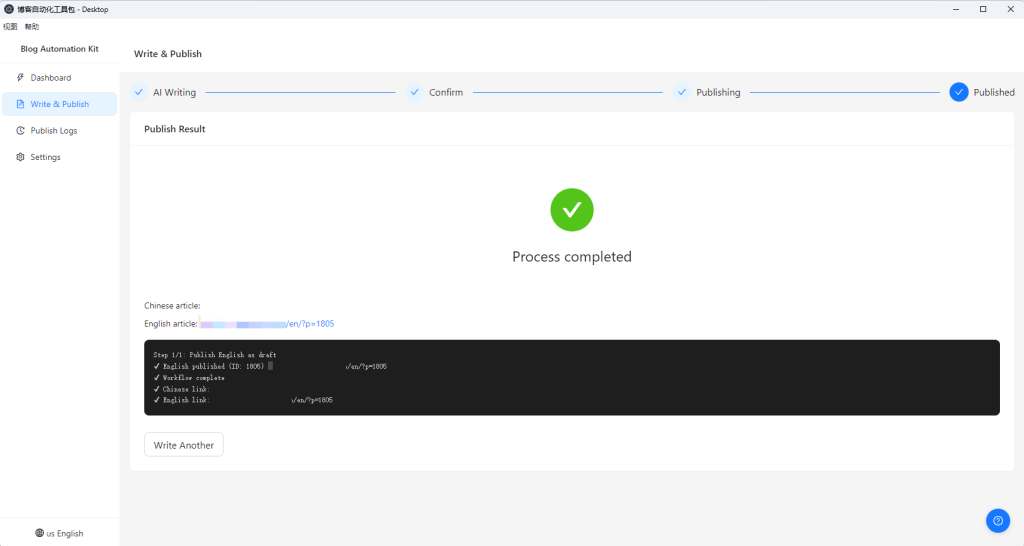
Blog Automation Kit – Desktop exists to collapse that entire chain — from topic idea to a live post on your WordPress site, in one sitting.
What problem does it actually solve?
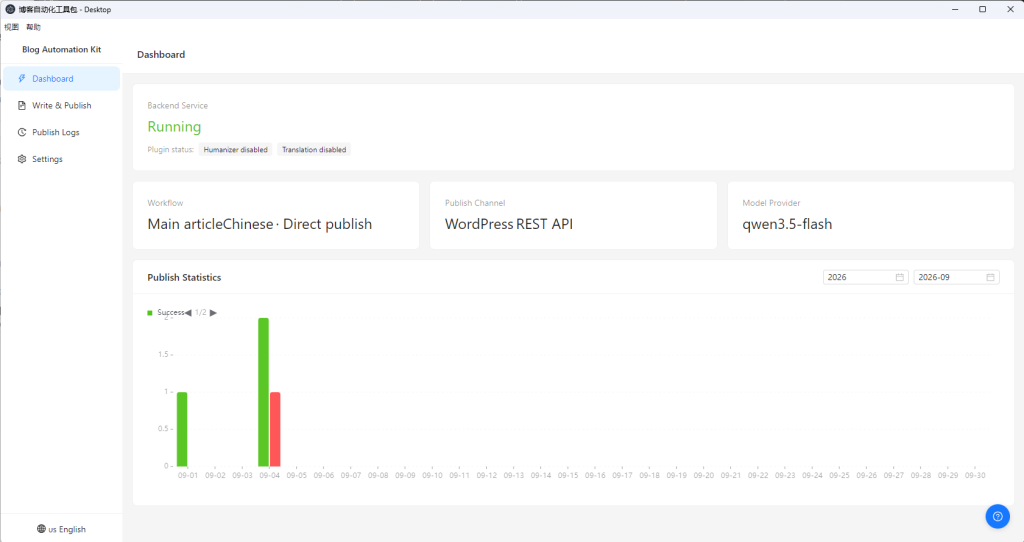
In one sentence: **it turns “AI writing” and “publishing to WordPress” from two disconnected manual steps into a single pipeline.**
The full flow is five steps:
“`
Enter topic → AI writes → Preview & edit → Translate (optional) → One-click publish to WordPress
“`
Specifically:
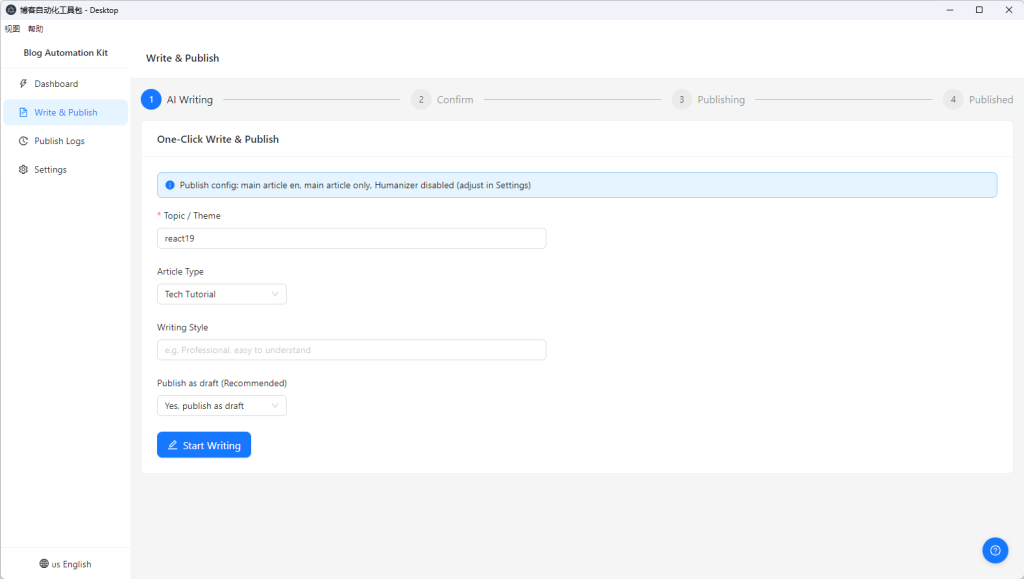
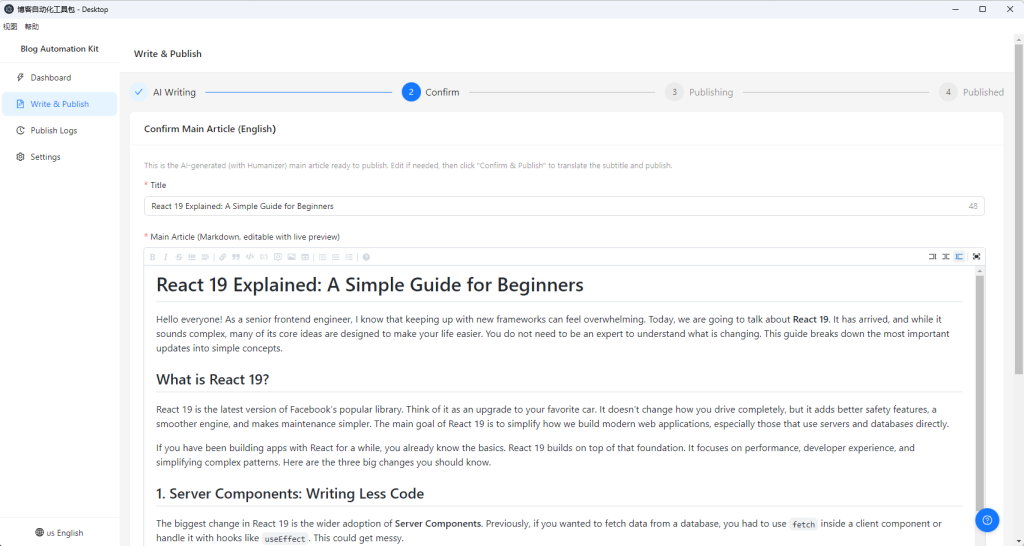
– AI writing: type a topic (e.g., “Docker deployment best practices for Node.js apps”), hit start, and get a full article in 30 seconds to 2 minutes.
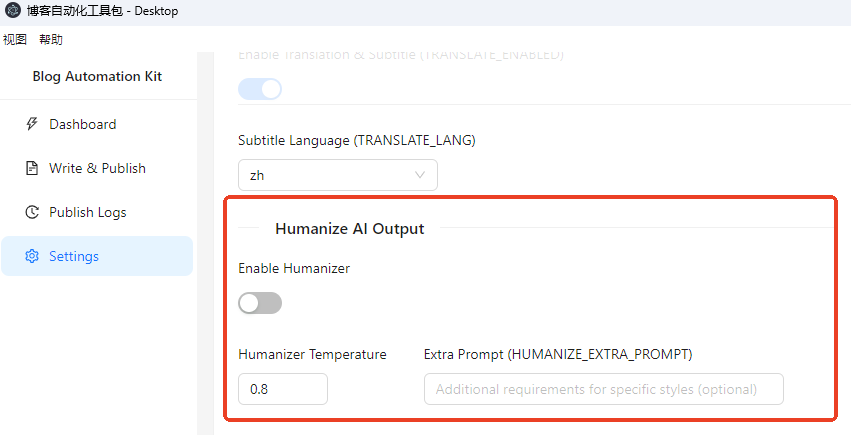
– Content polishing: a built-in Humanizer strips out AI clichés (“firstly, secondly, finally”, “it’s worth noting that”), varies sentence structure, and makes the piece read like a human wrote it.
– Smart translation: bidirectional Chinese ↔ English, so one article becomes two language versions. Code blocks, inline code, and technical terms are preserved; Markdown structure stays intact.
– One-click publish: after a one-time WordPress connection setup, every future publish is a single button click. Draft or direct publish, your choice.
– Real-time feedback: SSE streaming output shows generation progress live — no staring at a spinner.
Supports 20+ mainstream LLMs — with your own key
The tool is not locked to any single provider:
| Provider | Representative models |
|---|---|
| Alibaba Qwen | qwen3.7-flash, qwen3.8-max |
| DeepSeek | deepseek-flash |
| Zhipu AI | glm-5.3, glm-5.3-flash |
| Tencent Hunyuan | hy3-preview |
| Volcengine / Doubao | doubao-seed-2.1-pro |
| OpenAI | gpt-5.6-terra, gpt-5.6-sol |
| Anthropic Claude | claude-sonnet-4-6 |
| Google Gemini | gemini-3.8-flash |
| Kimi, MiniMax, iFlytek, Baidu, Mistral, Groq, xAI, and more | — |
All AI calls are made **directly from your machine**. Your API key lives only in your local config file — it never passes through any third-party server.
Fully configurable — not a black box
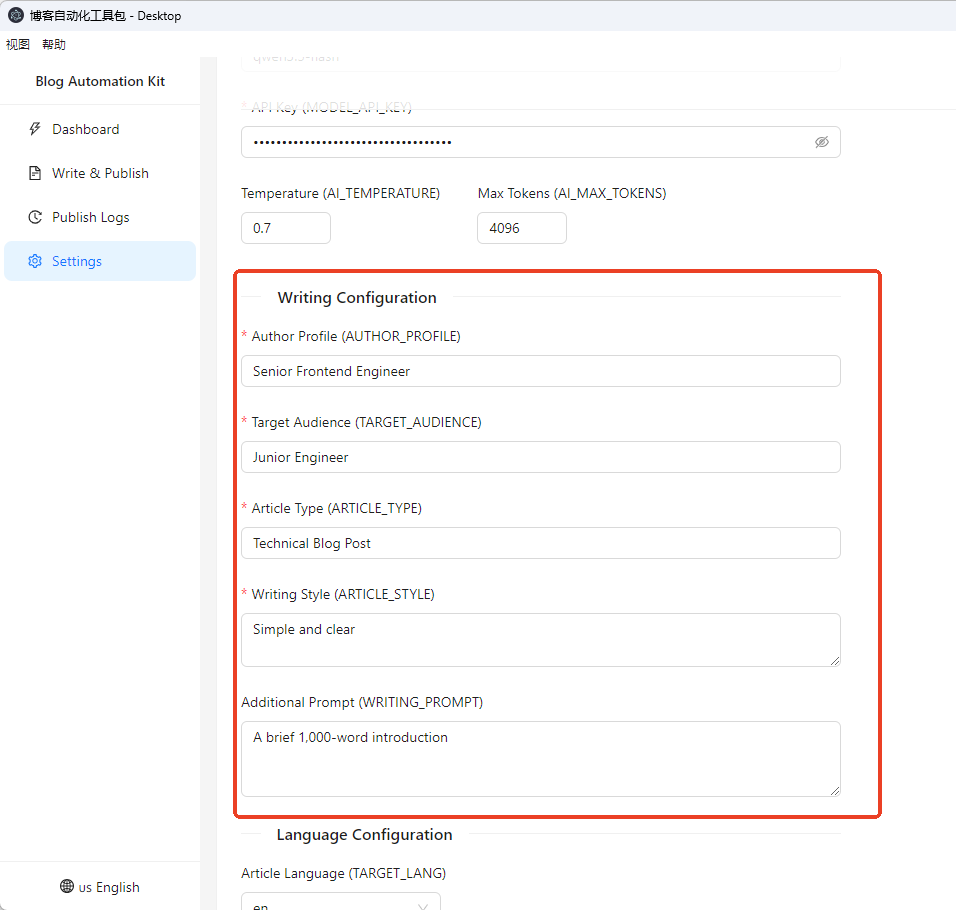
The most common complaint about AI writing tools is that everything comes out sounding the same. This one hands creative control back to you:
– Author persona: e.g., “a frontend engineer with 5 years of experience”
– Target reader: e.g., “beginners just getting into programming”
– Article type: technical post / tutorial / experience share / product review
– Writing style: formal vs. casual, humor level, density of jargon
– Extra requirements: e.g., “include at least 3 code examples”
– Temperature & max tokens: control randomness and length
– Humanizer temperature: control how aggressively AI traces are removed
About the setup barrier: the tutorials are already written
We won’t pretend this tool is zero-setup. It does involve some technical steps:
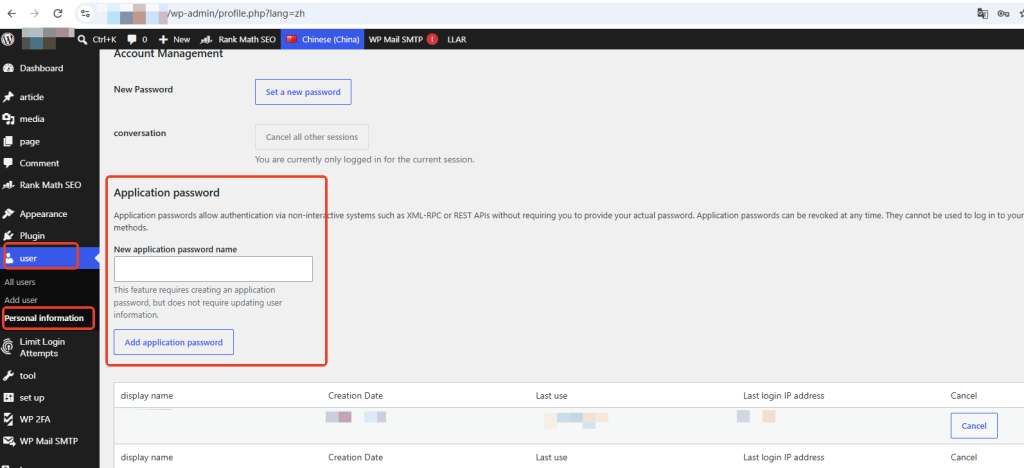
1. WordPress Application Password: generated under Users → Profile → Application Passwords. It’s a space-separated string shown only once.
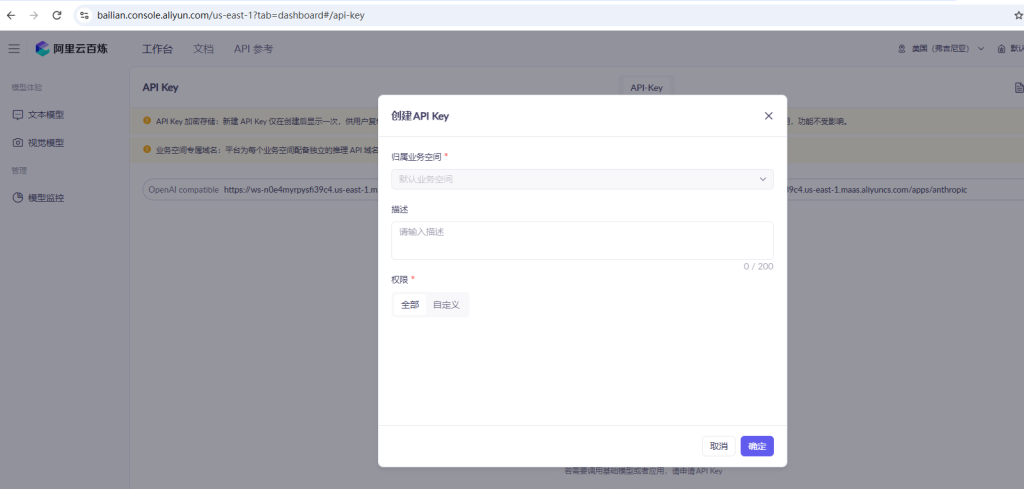
2. LLM API key: register on your chosen platform and create one.
3. REST API check: some security plugins (Wordfence, iThemes Security, etc.) disable the REST API — you need to allow `/wp-json/` endpoints.
4. Tavily search key (optional): only needed for live web-search-assisted writing; free tier includes 1,000 calls/month.
None of this is deep tech — but the first time through, it’s easy to get stuck. The product ships with a complete readme tutorial folder, including:
– Setup guide: WordPress backend config, application password generation (with screenshots), API key acquisition for each platform (with screenshots), a model-name reference table, and an error-code troubleshooting table
– User guide: interface overview, the full writing-to-publishing workflow, translation & humanizer config, log management, and FAQ
First-time setup takes about 10–15 minutes. After that, you never touch it again.
Who is it for?
– Technical bloggers: produce posts in batches, skip the copy-paste-into-wp-admin tax
– Bilingual content creators: write once, publish in two languages with terms and code preserved
– Solo creators & marketing teams: keep a steady publishing cadence with a searchable publish log
– Anyone who wanted to use AI for blogging but bounced off the configuration
FAQ
How long does generation take?
Typically 30 seconds to 2 minutes depending on the model. Automatic retry is built in — cold-start delays resolve themselves.
Formatting looks broken after publishing?
Install a Markdown plugin for WordPress (e.g., WP Markdown) and the formatting renders correctly.
Is my API key safe?
Stored locally only. AI calls go straight from your machine. Config files are never auto-uploaded or shared.
Does it support bulk publishing?
Currently single-article flow, but switching topics is fast — 1–2 minutes per article, still far faster than doing it by hand.
Price & availability
Blog Automation Kit – Desktop — $6.99 one-time on Gumroad.
For perspective: a single outsourced article costs tens to hundreds of dollars; a writing subscription runs dozens per month. This is a one-time purchase, and model costs go through your own API account (writing one article typically costs pennies). Long-term cost is effectively negligible.
—
*All features described reflect the actual product. Full setup and user guides in both Chinese and English (readme folder) are included with purchase.*
